Play coinche on mobile
Updated
A game on the commute or on the sofa? Coincheur plays on mobile, iPhone and Android alike, straight in the browser.
▶︎ Play free nowNo signup, no download · against the AI or with friends
On any phone
No need to dig through a store: open Coincheur in your phone's browser and play. The interface is built for touch: cards big enough for your thumb, bidding in a few taps, readable even on a small screen.
Add it like an app
- iPhone: in Safari, Share button then “Add to Home Screen.” An icon appears, just like a real app.
- Android: browser menu, “Install app” or “Add to Home screen.”
Once added, Coincheur opens full screen, with no browser bar.
Mobile, tablet or desktop
The same site adapts to every screen: start a game on your phone and pick it up on desktop if you have an account. No watered-down mobile version: it's the full game, AI and coach included. Open Coincheur on your phone and add it to your home screen.
For comfort, the mobile format even has its perks: you hold everything in one hand, play with a thumb, and the portrait screen puts your cards front and centre. Whether you're on a large iPhone, an entry-level Android or a tablet, the display adjusts to stay readable and smooth.
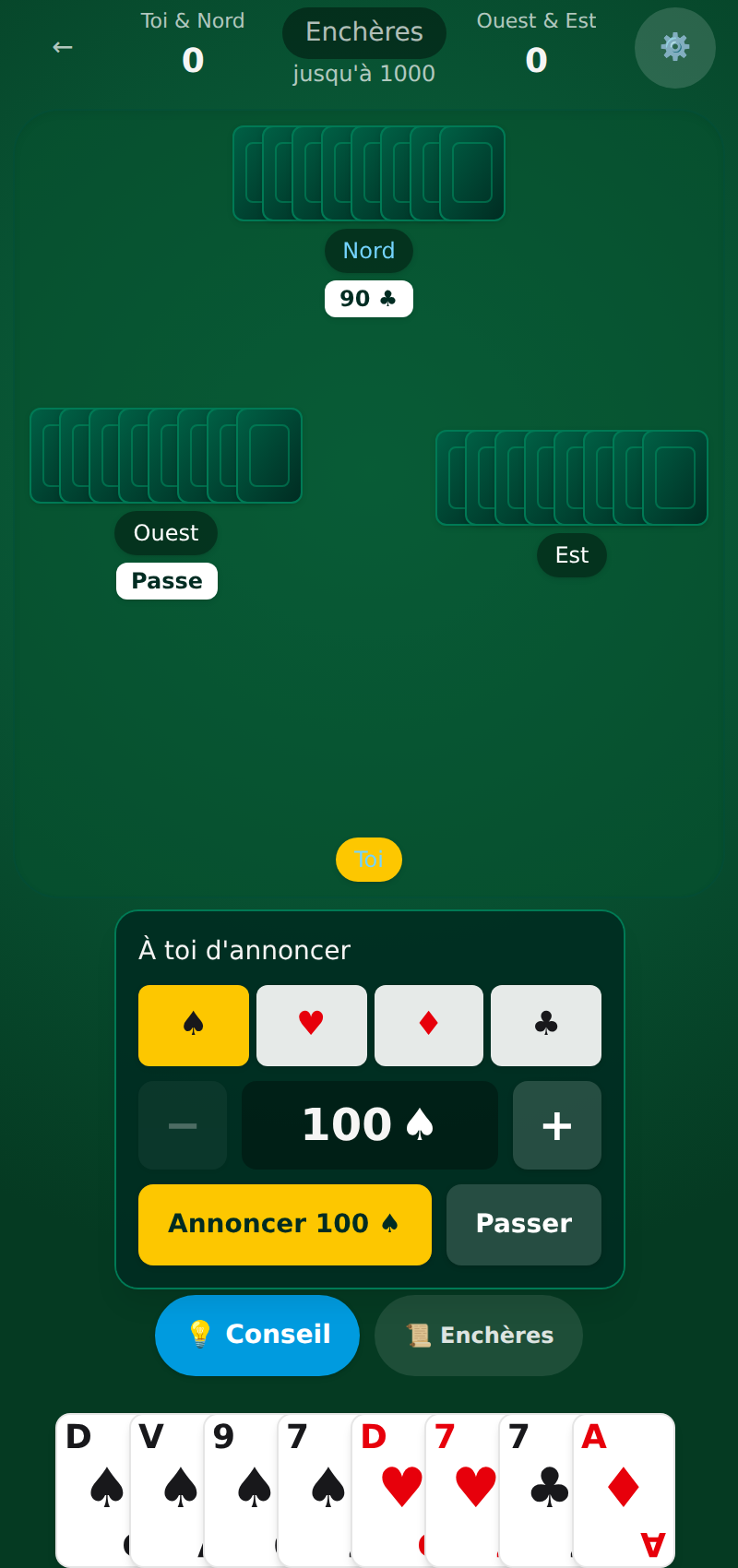 Want to practise? Play coinche online for free: tunable AIs and a coach are waiting for you on Coincheur.
See also
FAQ
Can you play coinche on iPhone and Android?
Yes. Coincheur opens in the browser of any phone, iPhone and Android alike, and can be added to the home screen to be used like an app.
Do you have to download an app from a store?
No. Coincheur is a website playable directly in the browser. You can add it to your home screen via “Add to Home Screen,” with no store involved.